




Tekla vs. SDS/2: What Your Steel Detailer's Software Choice Means for Your Shop
Tekla vs. SDS/2: What Your Steel Detailer's Software Choice Means for Your Shop
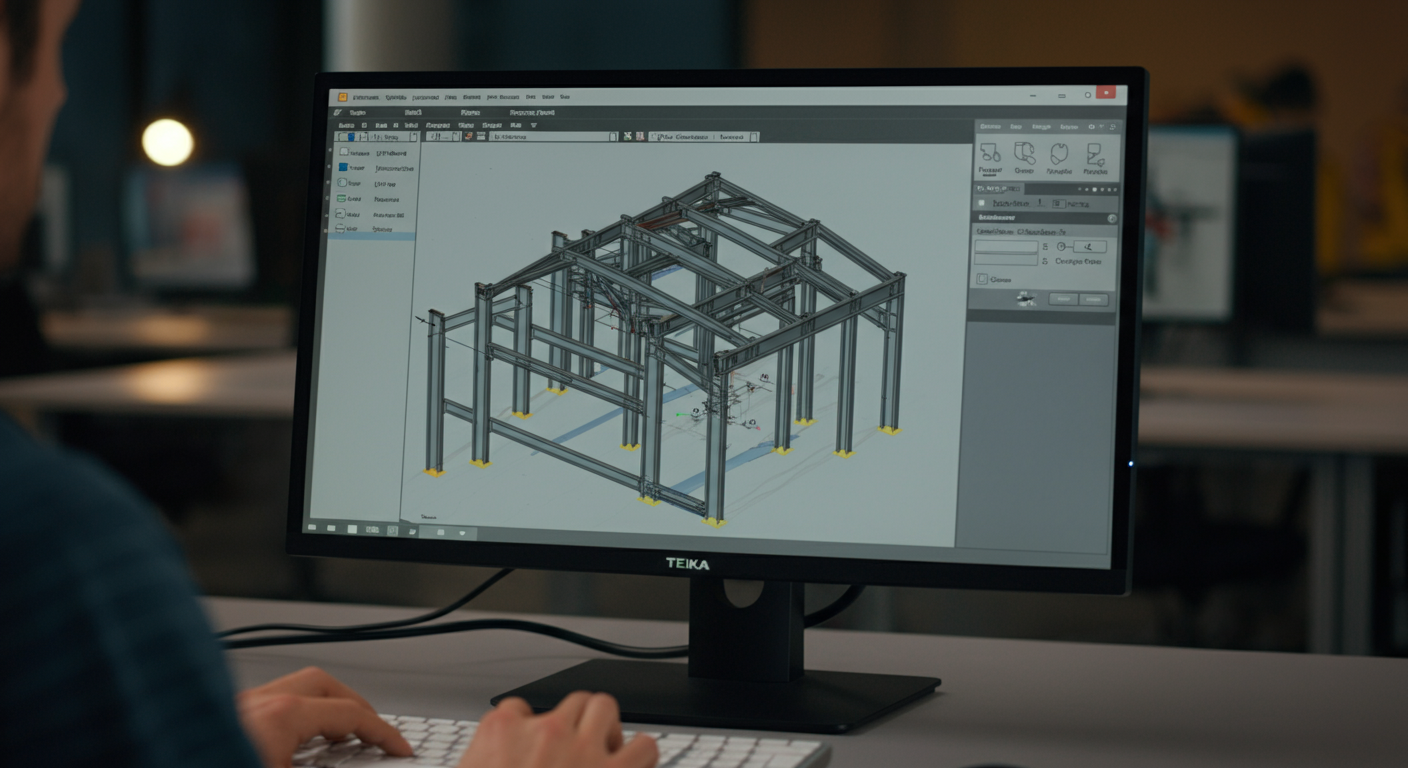
When a detailing firm says they use Tekla or SDS/2, most fabricators nod and move on. But the software your detailer works in affects your project in ways that don't become obvious until there's a problem — a CNC file that won't run on your plate processor, a BIM coordination meeting where the detailer can't export a usable IFC, or a revision cycle that takes three days because the model isn't parametric. These aren't edge cases. They're predictable consequences of software choice, and they're worth understanding before you sign a contract. Tekla Structures and SDS/2 are the two dominant platforms in US structural steel detailing — and they have genuinely different strengths. This post breaks down what each platform does well, where the differences show up in your fabrication workflow, and what questions you should be asking any detailing firm about the tools they use before work starts.
Why Software Choice Matters More Than Most Fabricators Realize
The drawing is what most people focus on — the shop ticket, the anchor bolt plan, the erection drawing. But by the time paper hits the fabrication floor, a lot has already happened upstream that either makes your life easier or doesn't. Your CNC operator needs clean NC files. Your project manager needs revision history that's traceable. Your GC's BIM coordinator needs an IFC export that doesn't crash Navisworks. All of that comes from decisions the detailer made before the first piece of paper was printed.
Two detailers can produce technically compliant shop drawings and still deliver completely different experiences on a complex project. The difference often comes down to whether they're working in a parametric 3D environment — and which one.
Tekla Structures: Parametric Modeling Built for BIM-Heavy Projects
Tekla Structures, now owned by Trimble, is the closest thing to an industry standard on large commercial and institutional projects that require BIM coordination. The model is fully parametric: change a W-shape size, and beam lengths, connection geometry, and associated details update throughout the model. That's not a minor convenience — on a 400-piece structural package with late EOR revisions, it's the difference between a one-day revision cycle and a three-day one.
Tekla's IFC export is reliable and schema-consistent. When a GC's BIM coordinator needs to clash-check the structural model against mechanical and plumbing runs, a Tekla IFC typically loads cleanly into Navisworks, Revit, or BIM 360. That matters on projects where the GC is running weekly model coordination meetings and expects the structural detailer to participate with a live model, not PDFs.
For CNC output, Tekla generates DSTV (NC1) files natively. Most modern plate processors, coping machines, and beam lines — Ficep, Voortman, Peddinghaus — read DSTV directly. A detailer working in Tekla can hand you files your operators load and run without manual translation.
Where Tekla demands investment is in the detailer using it. It's not a platform you pick up in a few weeks. Detailers who are genuinely proficient in Tekla — not just licensed — have put in significant time understanding its connection library, its component editor, and how to configure outputs for different fab shop requirements. The software's capability only translates to your benefit if the person running it knows what they're doing.
SDS/2: Automated Connections and Fabricator-Native Workflow
SDS/2, developed by Design Data, takes a different approach. Its core strength is automated connection design. The software applies AISC 360 connection logic based on member geometry, loads, and design parameters — shear tabs, clip angles, end plates — and generates connections that are structurally checked as they're placed. For detailers working on straightforward structural packages with high piece counts and repetitive connections, SDS/2 can move faster than Tekla.
SDS/2 also has deep roots in US fabricator workflows. Its integration with fab management software and its approach to bill of materials, shipping lists, and sequence numbering aligns well with how many domestic shops are organized. On a mid-size commercial project — a metal building addition, a warehouse structure, a straightforward office frame — SDS/2 shops often deliver clean work efficiently.
Where SDS/2 shows its limits is on BIM-coordinated projects with complex geometry or frequent EOR revisions. Its IFC export capabilities have improved, but Tekla's BIM coordination toolset is more mature. On projects where the structural model needs to be a living coordination document — not just a source for drawings — the platform matters.
Key Comparison Points for Fabricators
3D Model Deliverables and IFC Compatibility
If your project has a BIM requirement — owner-specified, GC-driven, or part of your contract — ask your detailer specifically what IFC schema they export and whether they've had that export reviewed in Navisworks or the project's specified BIM platform. Tekla's IFC output is broadly compatible. SDS/2's is serviceable for many applications but may require more coordination to get into a GC's BIM environment cleanly.
CNC and NC File Output
Both platforms can generate NC output, but verify compatibility with your specific equipment before work starts. Tekla's DSTV output is widely supported. SDS/2 generates NC files as well, but the configuration may require adjustment depending on your machinery. If you're running a Ficep or Voortman line and you've never worked with a particular detailer, ask for a sample file and test it before the first full package drops.
Change Management and Revision Tracking
Parametric modeling in Tekla means that EOR revisions propagate through the model — a column resize, a grid shift, a load change that affects connection capacity all update from a central model state. This compresses revision cycles significantly on projects with active design changes during detailing. In a non-parametric environment, or in 2D drafting entirely, those same changes require manual updates across multiple drawings. On a 200-piece package with two significant revision cycles, that difference is measurable in days and in RFIs.
BIM Coordination with GC, MEP, and Concrete Models
Tekla has a native link to Trimble Connect and well-developed model sharing workflows. On projects where weekly coordination meetings include live model review, a Tekla detailer can participate in a way that a 2D shop simply cannot. If your GC is running a full BIM coordination process, your detailer's ability to participate — not just export — matters.
Learning Curve and Detailer Throughput
Neither platform produces good work in the hands of an inexperienced user. A Tekla license doesn't make someone a competent detailer any more than owning a milling machine makes someone a machinist. When you're evaluating a firm, ask how long their detailers have been working in the platform — not how long the firm has been licensed.
What to Ask Your Detailer About Software
Before you sign a contract, get specific:
- What version of Tekla or SDS/2 are you running? (Outdated versions can create interoperability issues.)
- What file formats will you deliver — IFC, DSTV, DXF, DWG, native model?
- Have you worked with our CNC equipment before, or can you provide a sample NC file for review?
- If the project has a BIM requirement, what's your coordination workflow — can you share the model in Navisworks or BIM 360?
- How do you handle EOR revisions mid-detail? What's your typical turnaround?
A detailer who can answer these questions fluently, with specifics, has probably delivered enough projects to know where the friction points are. One who deflects or gives vague answers is telling you something.
The "We Use AutoCAD" Red Flag
2D-only detailing shops still exist. On simple miscellaneous steel packages — a canopy, a stair, a small lintel schedule — 2D work may be adequate. But on any project with BIM coordination requirements, complex geometry, or active design changes during detailing, a 2D-only shop is a liability. There's no model to coordinate from, no parametric revision capability, and no clean path to CNC output. If a detailing firm's answer to "what software do you use" is "AutoCAD," ask specifically what that means for IFC delivery and CNC files. If the answer is that those aren't part of their workflow, you have your answer.
What NRSteel Uses — and What That Means for Your Deliverables
NRSteel works in Tekla Structures as our primary platform. That choice is deliberate. The projects we work on — commercial and institutional structural packages across the Southeast and nationwide — increasingly require BIM coordination capability, clean IFC export, and CNC-ready DSTV output. We detail in a fully parametric 3D environment, which means EOR revisions are handled at the model level, not drawing by drawing.
Our team is US-based and NC-based. When a revision comes in on a Friday afternoon or a coordination question needs a same-day answer, there's no timezone lag and no relay chain — you reach the detailer directly. That combination of platform capability and direct access is what we think structural steel fabricators actually need on complex projects.
If you're evaluating detailing partners for your next project — particularly if it involves BIM coordination, CNC integration, or a tight revision cycle — contact NRSteel for a scope review. We're happy to talk through what file deliverables your project actually requires and whether we're a fit.